

The Best Image Format for Your Wix Website (And Why It Matters)

Images play a huge role in how your website looks, loads, and performs. The right image format can improve page speed, boost SEO rankings, and create a better user experience. The wrong format can slow your site down and hurt conversions.
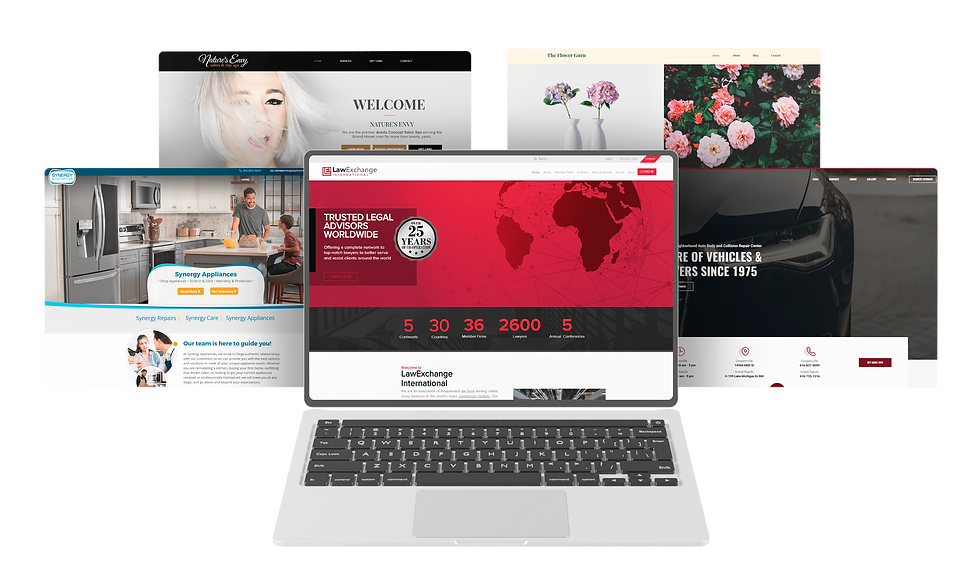
At CIS Agency, we build websites primarily on Wix, so choosing the right image format is especially important for performance and compatibility. Let’s break down the best image formats for your website and which ones work best on Wix.
Why Image Format Matters
Before we talk formats, here’s why this decision is important:
Faster load speeds improve SEO rankings.
Faster websites reduce bounce rates.
Proper formats maintain visual quality.
Optimized images improve mobile performance.
Smaller files reduce hosting strain.
Google prioritizes fast websites. If your images are too large or improperly formatted, your rankings and conversions can suffer.
The Most Common Website Image Formats
1. JPEG (JPG) – Best for Photographs
Best for:
Team photos
Background images
Product photos
Real-life images
Why it works: JPEG files are compressed, meaning they keep file sizes small while maintaining good quality. This makes them ideal for photography-heavy websites.
Pros:
Small file size
Great for detailed images
Widely supported everywhere
Cons:
Not ideal for transparency
Too much compression reduces quality
For most websites, JPEG is the go-to format for photos.
2. PNG – Best for Graphics & Transparency
Best for:
Logos
Icons
Graphics with transparent backgrounds
Images with sharp text
Why it works: PNG files support transparency and retain sharp edges, making them perfect for branding elements.
Pros:
High quality
Transparent background support
Crisp text and graphics
Cons:
Larger file sizes than JPEG
Can slow pages if not optimized
Use PNG for logos and graphics, but avoid using large PNG files for photos.
3. WebP – Best Overall for Performance
Best for:
Nearly everything (when supported)
Performance-focused websites
Why it works: WebP is a modern format developed by Google. It offers smaller file sizes than JPEG and PNG while maintaining similar or better quality.
Pros:
Smaller file size
High quality
Supports transparency
Excellent for SEO and speed
Cons:
Slightly newer format (though widely supported now)
For performance and SEO, WebP is currently one of the best choices.
What’s the Best Image Format for Wix Websites?
Wix automatically optimizes images when uploaded, but choosing the right format still matters.
Here’s what we recommend for Wix sites:
Use JPEG for large photos and backgrounds
Use PNG for logos and graphics that require transparency
Use WebP when possible for better speed performance
Resize images before uploading (don’t upload 4000px images if they display at 1200px)
Keep file sizes under 300 KB whenever possible for standard images
Use compressed versions of all images before uploading
Wix already converts and optimizes images for delivery, but starting with a properly formatted, compressed image gives the best results.
Why a PDF Is Not a Good Image Format for Websites
Some people may confuse PDFs with image formats, especially when a PDF contains a logo, flyer, brochure, or graphic that looks like an “image.” While PDFs are excellent for printing and sharing documents, they are not ideal for use as website images.
Here’s why:
A PDF isn’t an image file — it’s a document container that can include text, graphics, and embedded images.
PDFs are often much larger than JPEG, PNG, or WebP files.
They don’t behave like images inside website layouts, which can create display issues.
If embedded incorrectly, PDFs can slow page load times.
Search engines don’t treat PDFs the same way they treat properly optimized web images.
If a flyer or brochure needs to appear visually on a website, it’s usually best to convert it into a correctly sized JPEG, PNG, or WebP file. If the goal is to let visitors download or print something, then a PDF is perfect. It should be offered as a downloadable link rather than used as an on-page image.
In short: PDFs are great for downloads. They’re not the best option for website visuals.
Image Size Best Practices
Even the correct format can slow your site down if the image is oversized.
General guidelines:
Full-width banner images: 1600–2000px wide max
Standard content images: 1200px wide max
Thumbnails: 600px or smaller
Logos: Just large enough for clarity
Uploading a 5MB image is one of the fastest ways to hurt page speed.
How Image Optimization Helps SEO
Optimized images improve:
Page speed scores
Google rankings
Mobile performance
User experience
Conversion rates
Google measures Core Web Vitals. Large, unoptimized images directly impact those scores.
When we build websites at CIS Agency, we optimize images as part of our process to ensure your site performs at a high level.
What About SVG?
SVG files are vector-based and best for:
Logos
Simple icons
Scalable graphics
They stay sharp at any size and are extremely lightweight. However, they’re not suitable for photos.
On Wix, SVGs are great for logo files when properly prepared.
Quick Summary
If you want the simple answer:
Photos → JPEG or WebP
Logos with transparency → PNG or SVG
Performance-focused sites → WebP
PDFs → Only for downloads, not website images
Avoid uploading large, uncompressed images
Choosing the correct format improves speed, SEO, and user experience.
Need Help Optimizing Your Website?
At CIS Agency, we don’t just design beautiful websites; we build fast, optimized, SEO-friendly platforms designed to convert.
If you’re unsure whether your images are slowing down your website, we’re happy to review your site and provide recommendations.
Visit www.wearecis.com to learn more about our website design and digital marketing services.


Comments